What’s New in Android 11
On September 8, Google officially launched Android 11, the new version of its operating system. Its most notable new features include privacy improvements, chat bubbles, biometric features and wireless Android Auto.
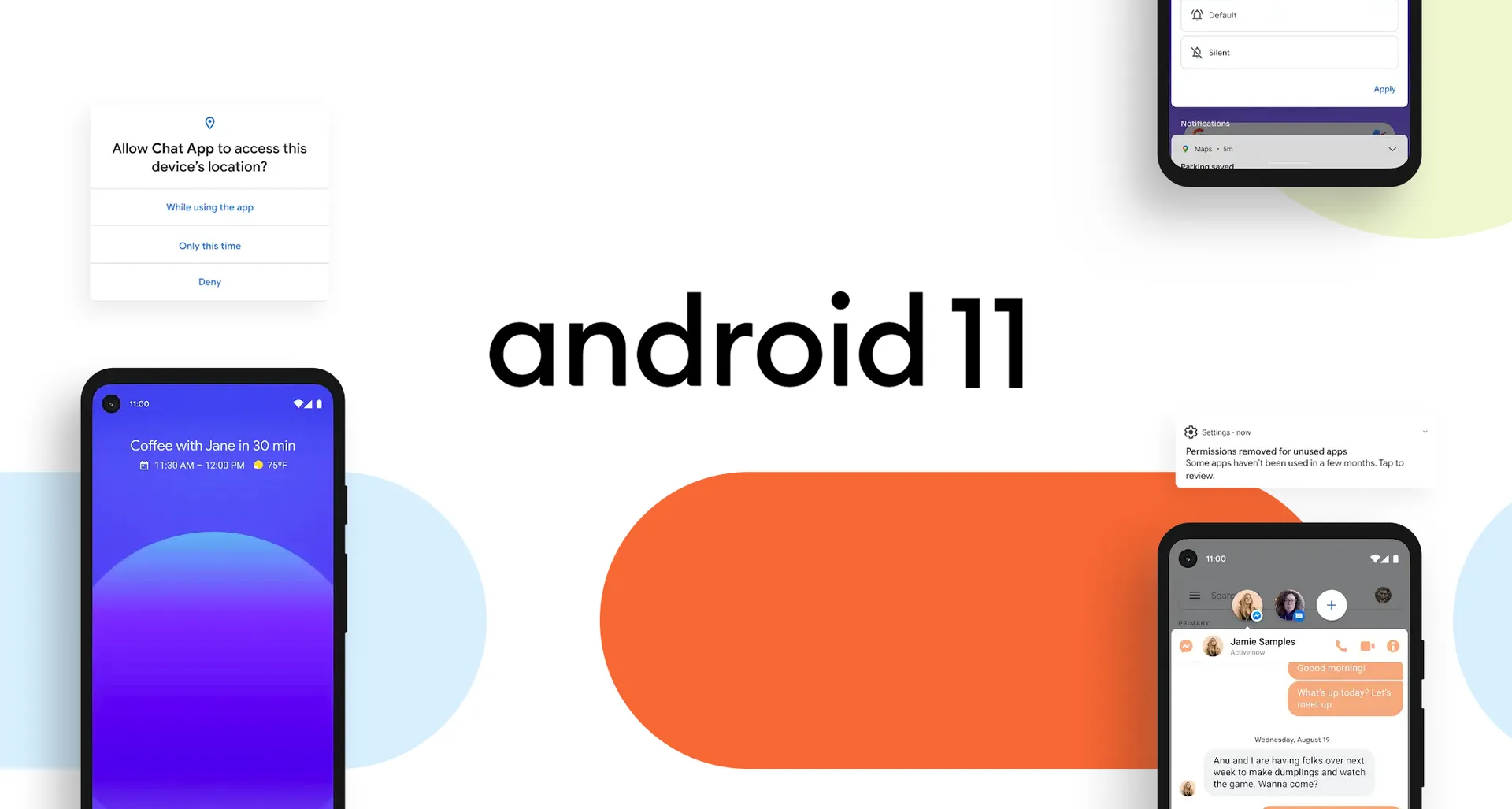
On September 8, Google officially launched Android 11, the new version of its operating system. Its most notable new features include privacy improvements, chat bubbles, biometric features and wireless Android Auto.
Chat Bubbles
To make multitasking easier on your device, chat bubbles are available for all messaging apps. This new feature lets you reply to conversations without opening the app.
Tapping the bubble opens the app in a floating window, so you can check the chat and reply in practically the same way as Facebook Messenger.
Also, when using Google’s Gboard keyboard, Android 11 automatically suggests text and emojis.
Smart Home
With Android 11 you can control, from your smartphone, the smart devices in Google’s ecosystem that are connected to Google Home. Just press the power button to open this new control menu which, besides showing your smart devices, includes extra features like payment methods and boarding passes for your trips, among others.
Privacy And Permission Improvements
This new version of Google’s operating system introduces one-time permissions. This means apps must ask the user for permission to access certain sensitive device features (like location or access to the camera and microphone) every time they use them. When the user hasn’t used an app for a certain period of time, they’ll be notified that its permissions will be removed automatically, so they’ll need to grant them again the next time they use the app.
New Notification System
Android 11 now lets you manage your notifications, which are split into 3 categories: conversations, notifications and silent. This new notification management has its own history, and you can prioritize notifications by type, so you never miss a message or conversation.
Screen Recording
Before, this was only possible with third-party apps, but with Android 11 you can record all kinds of sounds and video, including what appears on the screen or plays on the device. You can also choose to show your taps during the recording.
Wireless Android Auto
Android Auto now works wirelessly with Android 11. To use this feature, you just need to check whether your car is compatible.
New Media Player
In earlier versions, each media player appeared as a separate notification and took up a lot of space. In this new generation of Android, there’s a single notification for media players, where they’re grouped into pages. This saves space and makes access easier and faster.
Security
Google Play will send the latest security and privacy updates to your device. This way, you can install security patches as soon as they’re available, without waiting for a full system update.
More Changes
There are also small changes worth mentioning. The most notable are:
- Camera optimization for third-party apps
- Bedtime mode
- Improved form autofill
- Nearby Share built into Android 11
- Smart folders
In short, Android 11’s new features are quite appealing, especially how easy chat bubbles make multitasking. This feature has a big impact on the way we communicate online, which makes it very useful in everyday life.
The privacy and permission changes are also a big step forward, since they keep users from accidentally granting permissions to apps that shouldn’t automatically have access to them.
So, in the not-too-distant future, once most devices update to this new version, there will surely be much more to talk about.
In any case, although the Android 11 update could have been better, we also have to recognize that all the changes, even if fewer than expected, are definitely high quality.
If you also want to make the most of the technology Android offers to grow your business, don’t hesitate to get in touch. At Pixzelle Studio we’d love to hear about your project and work with you to make it a reality. Get a quote with us!
Diego Ramírez
More articles by Diego